Lab 2 (Secops): Tune/fix security policy
Background:
The application team tests came back and some of the tests have failed. the test result came back with the WAF blocking page.
Task 2.1 - Find which requests were blocked and resolve false-positive
2.1.1 Clear false positive:
- log on to the ‘DEV’ bigip. (username: admin , password: your personal password that you set in the lab setup ) see section 1.3.3
- log on to the ‘DEV’ BIG-IP.
- go to ‘traffic learning’,
- make sure you are editing the ‘linux-high’ policy.
- check the requests that triggered suggestions.
- you should see a suggestion on ‘High ASCII characters in headers’ , examine the request. this is a false positive.
- the app uses a different language in the header and it is legitimate traffic.
- you can also see that the request comes from a trusted ip.
accept the suggestion.
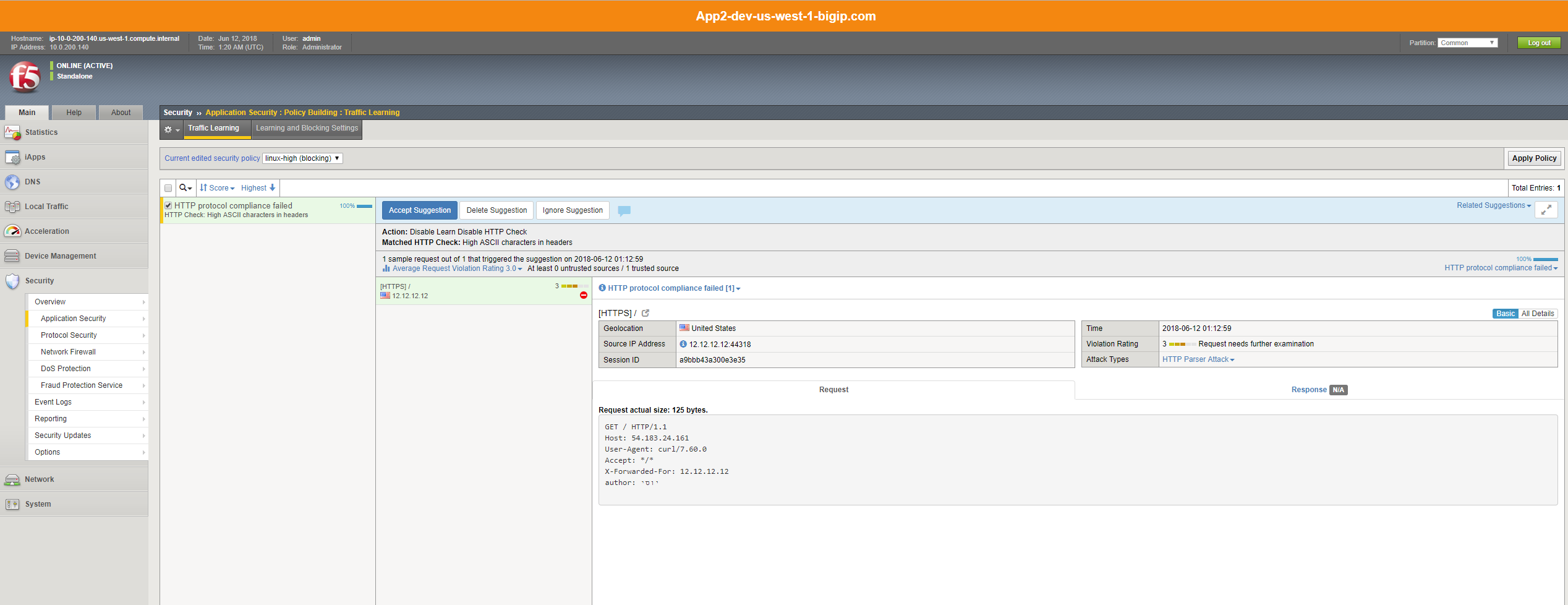
2.1.2 Apply the policy :
- apply the policy.
Note
you are applying the policy to DEV, secops shouldn’t change the waf policy running in production outside of the ci/cd workflow ** unless there is a true emergency
Task 2.2 - Save the WAF policy to the templates repo (managed by secops)
- secops have updated the policy with a setting that makes sense to update on the general template.
- we will now export the policy from the BIG-IP to the waf-policies repo (managed by secops)
2.2.1 Pull WAF policy from the BIG-IP :
go back to jenkins, under the ‘f5-rs-app2-dev’ there is a job that will export the policy and save it to the git repo - SEC export waf policy
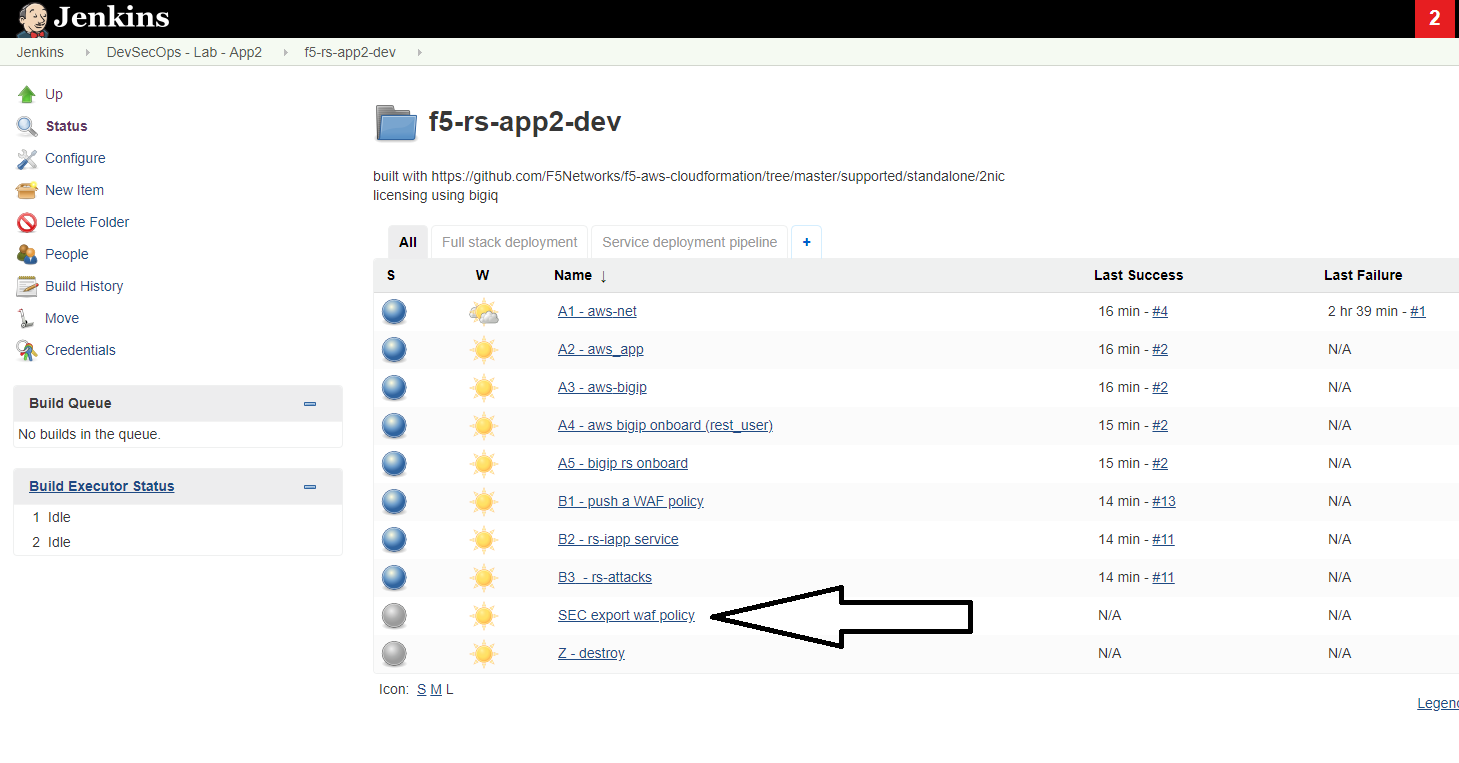
click on this job and choose Build with Parameters from the left menu.
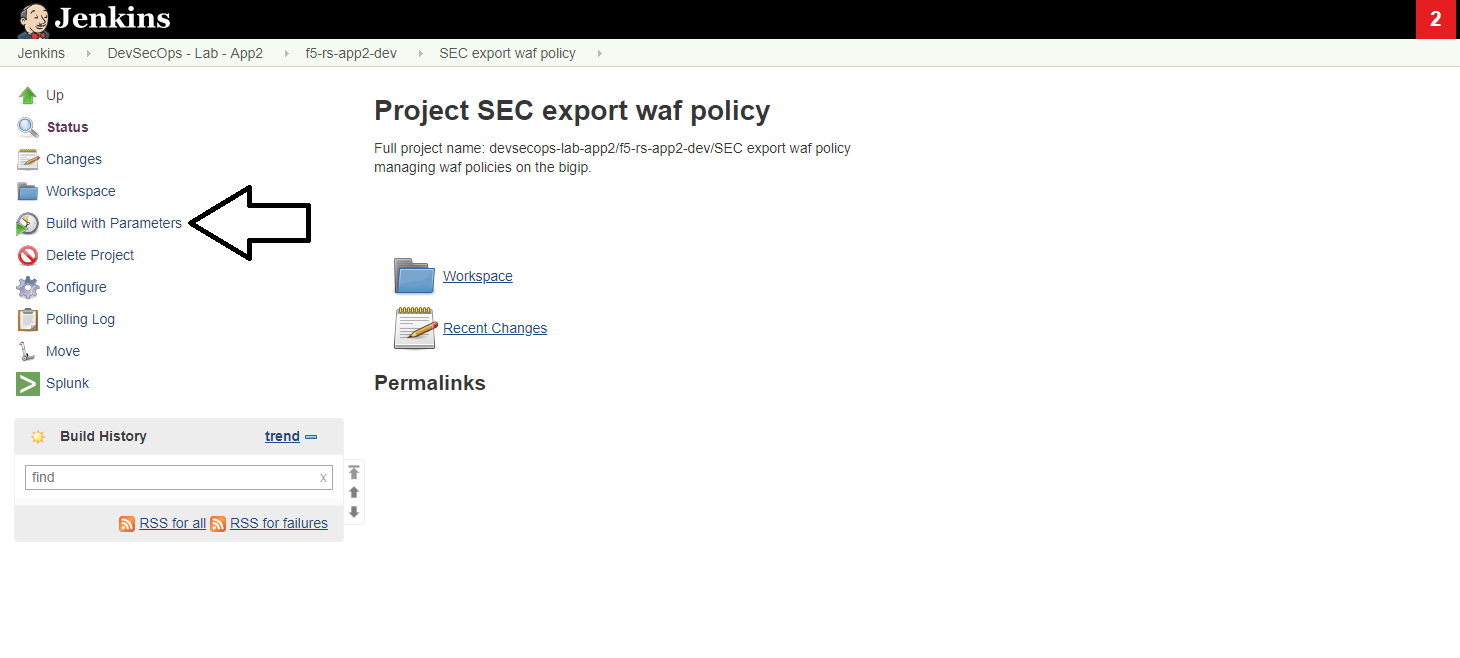
you can leave the defaults, it asks for two parameters. the first parameter is the name of the policy on the BIG-IP and the other is the new policy name in the git repo.
Note
why saving the template with a different version ? changes should be tracked, more than that we should allow app teams to ‘control their own destiny’ allowing them to choose the right time and place to update the waf policy in their environment. by versioning the policies we ensure their control over which template gets deployed.
click on ‘build’
2.2.2 Check slack channel notification :
check the slack channel - you should see a message about the new security policy that’s ready. this illustrates how chatops can help communicate between different teams.

the security admin role ends here. it’s now up to Dave to run the pipeline again.