Lab 3: (Dave) Deploy with a new WAF policy
Background:
secops found a false positive on the waf policy template, they fixed it and created a new version for that policy.
Task 3.1 - Update the WAF policy deployed in DEV
we (Dave) got the message on a new waf template, we need to deploy the new template to the DEV environment. to do so we will edit the ‘infrastructure as code’ parameters file in Dave’s app2 repo.
3.1.1 Update git with your information:
Configure your information in git, this information is used by git (in this lab we use local git so it only has local meaning) - on the RS-CONTAINER CLI
git config --global user.email "you@example.com"
git config --global user.name "Your Name"
3.1.2 verify you edit the dev branch:
- go to the container CLI
- go to the application git folder (command below)
- check which branches are there and what is the active branch. (command below)
- you should be on the ‘dev’ branch. the files you see belong to the dev branch.
cd /home/snops/f5-rs-app2
git branch
3.1.3 Update the infrastructure as code parameters file:
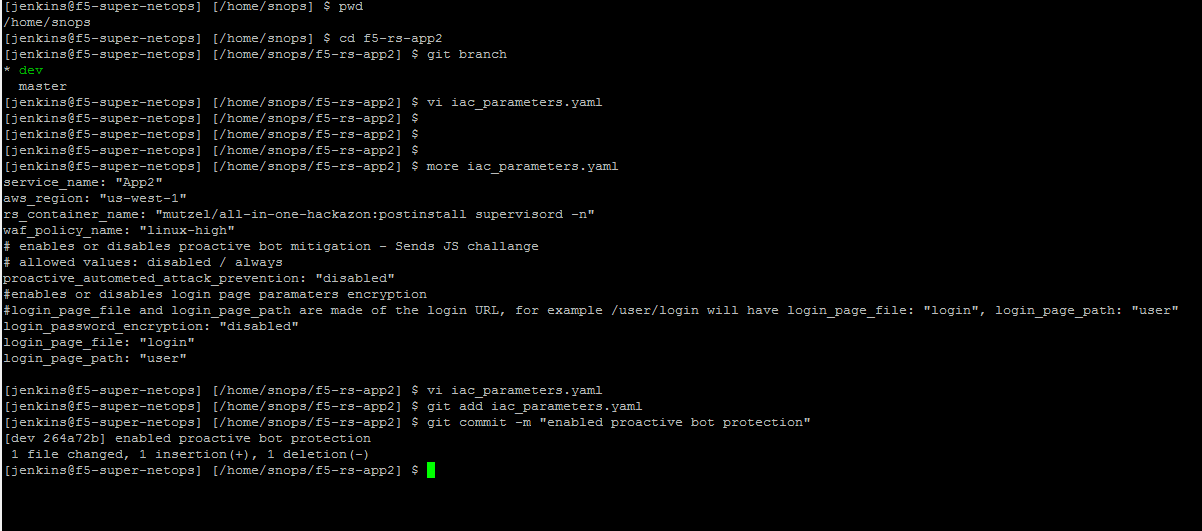
edit the iac_parameters.yaml file to point the deployment to the new WAF policy (linux-high-v01). then add the file to git and commit.
- change line: waf_policy_name: “linux-high”
- to: waf_policy_name: “linux-high-v01”
vi iac_parameters.yaml
git add iac_parameters.yaml
git commit -m "changed asm policy"
3.1.4 service deployment update:
Note
- we now have an active DEV environment, the app, network and BIG-IP shouldn’t change. the only change is to the SERVICE deployed on the BIG-IP.
- we have a dedicated pipeline view for the Service deployment.
- jenkins is set up to monitor the application repo. when a ‘commit’ is identified jenkins will start an automatic pipeline to deploy the service. Jenkins takes the parameters from the file and uses them to start the ansible playbooks that will push the changes to the BIG-IP.
- that way it will update the WAF policy on the BIG-IP.
- go back to jenkins and open the f5-rs-app2-dev folder. choose the Service deployment pipeline tab , it takes up to a minute for jenkins to start the pipeline. you should see that the tasks start to run and the pipeline finishes successfully (all tasks are now green).
- Don’t forget to refresh the page
3.1.5 view changes on the BIG-IP :
- log on to the BIG-IP again, check which WAF policies are there and which policy is attached to the ‘App2 VIP’ check the ‘traffic learning’ for the security policy and verify you no longer see the ‘high ascii charachters’
this concludes the tests in the ‘dev’ environment. we are now ready to push the changes to production.